The Phomemo Label Maker review centers on a portable, phone-connected printer for everyday organization, from pantry jars to classroom supplies and office folders.
Its thermal printing and broad design library make it worth considering for buyers who want to create labels without keeping a full-size printer nearby.
Phomemo D30 Review Summary
The quick verdict
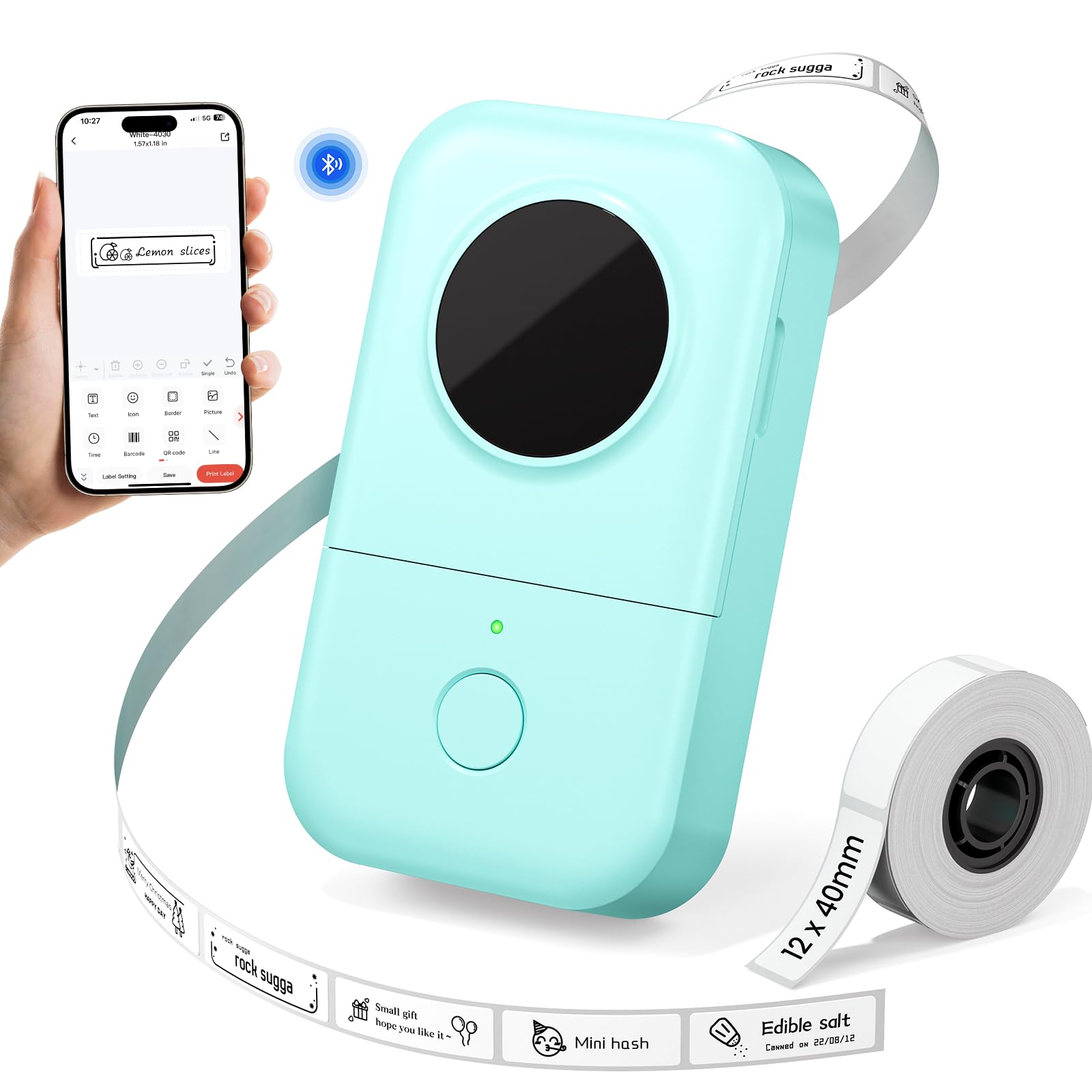
1,000+ ratings
Read Amazon ReviewsPhomemo D30 Label Maker
A compact Bluetooth label maker for people who want customizable labels for jars, school supplies, storage, and office files.
- Bluetooth connection for creating and printing labels from a mobile device.
- Print Master app with more than 1,000 symbols, 120 fonts, 60 frames, and 60 borders.
- Label designs can include text, QR codes, barcodes, materials, and images.
- 203 DPI direct thermal printing, with no ink, toner, or ribbon required.

Pros
- A pocketable design makes it practical to label items where they are stored or used.
- The app’s extensive design options allow more personalization than plain text alone.
Consider before buying
- Label creation depends on using the Print Master app; the product information specifically directs users not to use the Phomemo app.
- The listed tape widths top out at 15 mm, so buyers needing broader labels should check the fit of their intended layouts before choosing it.
Read the full review summary
The Phomemo D30 is a small Bluetooth label printer designed around smartphone editing.
Its 203 DPI thermal print system needs no ink, toner, or ribbon, while the Print Master app offers more than 1,000 symbols, 120 fonts, 60 frames, and 60 borders for labels that can include text, QR codes, barcodes, materials, and images.
The appeal is the combination of portability and creative control. It supports 6, 12, 14, and 15 mm tape widths, and its rechargeable 1,200 mAh battery and 0.35-pound weight suit occasional labeling around the house, classroom, or office.
Buyers should plan to use the Print Master app, and consider the available tape widths and adhesive behavior before settling on it for a specific labeling routine.
The buying factors
Phomemo D30 Scorecard
Editorial scores reflect listed features and buyer fit; they are not laboratory measurements or customer ratings.
Everyday organization
The described uses span kitchen containers, storage boxes, school items, and office folders.
Design flexibility
A large collection of symbols, frames, fonts, and borders supports varied label layouts.
Portability
At 0.35 pounds, the compact printer is easy to carry between rooms or locations.
Print detail
The 203 DPI thermal resolution is suited to ordinary text and label graphics, though no broader output-size capability is specified.
Tape-width options
Four listed widths provide choices for compact labels and somewhat wider layouts.
Setup convenience
Bluetooth printing from a phone avoids a desk-bound workflow, but it requires the Print Master app.
Ongoing supplies
Thermal printing removes ink, toner, and ribbon from the supply list; label tape remains necessary.
Key Features and Specifications of Phomemo D30
- Bluetooth connection for creating and printing labels from a mobile device.
- Print Master app with more than 1,000 symbols, 120 fonts, 60 frames, and 60 borders.
- Label designs can include text, QR codes, barcodes, materials, and images.
- 203 DPI direct thermal printing, with no ink, toner, or ribbon required.
- Compatible tape widths listed as 6, 12, 14, and 15 mm.
- Rechargeable 1,200 mAh battery and Micro USB charging port.
- Compact form weighing 0.35 pounds, intended for portable use.
Pros and Cons of Phomemo D30
Pros
- A pocketable design makes it practical to label items where they are stored or used.
- The app’s extensive design options allow more personalization than plain text alone.
- Several tape widths give buyers flexibility for small labels and roomier layouts.
- Thermal printing avoids buying ink, toner, or ribbons.
Consider before buying
- Label creation depends on using the Print Master app; the product information specifically directs users not to use the Phomemo app.
- The listed tape widths top out at 15 mm, so buyers needing broader labels should check the fit of their intended layouts before choosing it.
- The description notes that labels can leave residue, a consideration for surfaces that need frequent clean removal.
Who Should Buy Phomemo D30?
Good fit
Consider the D30 if you routinely organize jars, food containers, storage boxes, school belongings, or office folders and want to make labels from a phone.
Its small size and rechargeable design can make quick, location-based labeling less cumbersome than returning to a computer or larger printer.
It is particularly appealing if you expect to make labels in different styles.
The range of fonts, frames, borders, and symbols gives room to distinguish categories or add scannable codes, while the several tape widths can suit different label layouts.
Check the dimensions of the tape you plan to buy and the app workflow before you commit to a larger labeling project.
The inkless printing system keeps the printer’s supply needs focused on label tape.
For regular household or school organization, that is a straightforward arrangement; for a business process, make sure the compact widths and phone-based editing match the kinds and volume of labels you produce.
Who should skip it
Look elsewhere if your routine depends on labels wider than 15 mm or requires a desktop workflow. The D30 is presented as a compact, phone-connected organizer, so it makes most sense when those constraints fit your day-to-day use.
If labels need to peel away without residue from delicate or frequently changed surfaces, verify that the tape you plan to use is suitable before labeling those items.
How the Phomemo D30 Fits Everyday Labeling
A mobile workflow for quick organization
Bluetooth pairing and smartphone editing suit jobs that happen at the point of use: a pantry shelf, a classroom supply bin, or a stack of office folders.
That can reduce the friction of creating a short label when the item is already in front of you.
The tradeoff is that the workflow depends on the specified Print Master app, so buyers should be comfortable designing labels on a phone.
Creative options without a complex design process
The app’s library of symbols, fonts, frames, and borders gives the D30 a useful range for labels that need visual distinction. QR codes and barcodes are also supported, alongside text and images.
These options are most useful when they solve a practical sorting or identification task; for simple pantry names, a plain layout may be quicker to make and easier to read at a glance.
Tape width and adhesive deserve a little planning
The listed 6, 12, 14, and 15 mm widths cover several compact-label needs, but the intended label should be sized before buying refills.
A spice jar, a school item, and a document folder can call for different proportions and legibility.
The product description also warns that labels may leave residue, so test a discreet spot if the surface is sensitive or the label is temporary.
Thermal printing and portability
Direct thermal printing means there are no ink cartridges, toner, or ribbons to replace, while the rechargeable battery supports carrying the unit between work areas.
The 203 DPI specification describes print resolution, not a guarantee that every detailed design will suit every label size.
Keep layouts simple when using the narrowest tape, and make sure the Micro USB charging arrangement works for your setup.
Alternatives to Phomemo D30
Desktop Label Printers alternative

14,000+ ratings
Read Amazon ReviewsNIIMBOT D110 Label Maker
Choose the D30 if its stated design library and tape-width options suit your label layouts.
Consider the D110 if batch printing or Type-C charging better matches your workflow; confirm its tape sizes and app compatibility for the labels you want to make.
- The NIIMBOT D110 uses the NIIMBOT app, supports batch printing, and lists a Type-C charging cord.
- Its thermal output is monochrome, and its described uses include home, school, and office organization.
- The Phomemo D30 supports four listed tape widths up to 15 mm and offers an app library with more than 1,000 symbols, 120 fonts, 60 frames, and 60 borders.
Desktop Label Printers alternative

28,000+ ratings
Read Amazon ReviewsPhomemo D30 Label Maker with Three Tapes
The included tape variety may suit buyers who want to try white, gold, and clear media from the start.
The main D30 is a fit for buyers prioritizing its stated app library and listed tape-width compatibility; compare the included supplies and compatible tape format before choosing between these packages.
- This D30 package includes three tapes: white, gold, and clear. It supports continuous and fixed-length labels and uses monochrome printing, with colored label designs depending on patterned tape.
- The Phomemo D30 review target is presented as a compact thermal printer with multiple tape widths and a rechargeable battery.
Is Phomemo D30 Worth It?
The Phomemo D30 is worth considering for buyers who want a portable, rechargeable label maker for home, school, or office organization.
Its phone-based editing, broad collection of design elements, and inkless thermal printing give it a useful balance of convenience and customization.
The main checks are practical: use the Print Master app, confirm that the listed tape widths fit your labels, and consider the possibility of adhesive residue on surfaces where clean removal matters.
If those conditions suit your routine, the D30 is a sensible compact organizer; if you need wider labels or another workflow, compare alternatives before buying.
Your review at a glance
1,000+ ratings
Read Amazon ReviewsPhomemo D30 Label Maker
A compact Bluetooth label maker for people who want customizable labels for jars, school supplies, storage, and office files.
- Bluetooth connection for creating and printing labels from a mobile device.
- Print Master app with more than 1,000 symbols, 120 fonts, 60 frames, and 60 borders.
- Label designs can include text, QR codes, barcodes, materials, and images.
- 203 DPI direct thermal printing, with no ink, toner, or ribbon required.