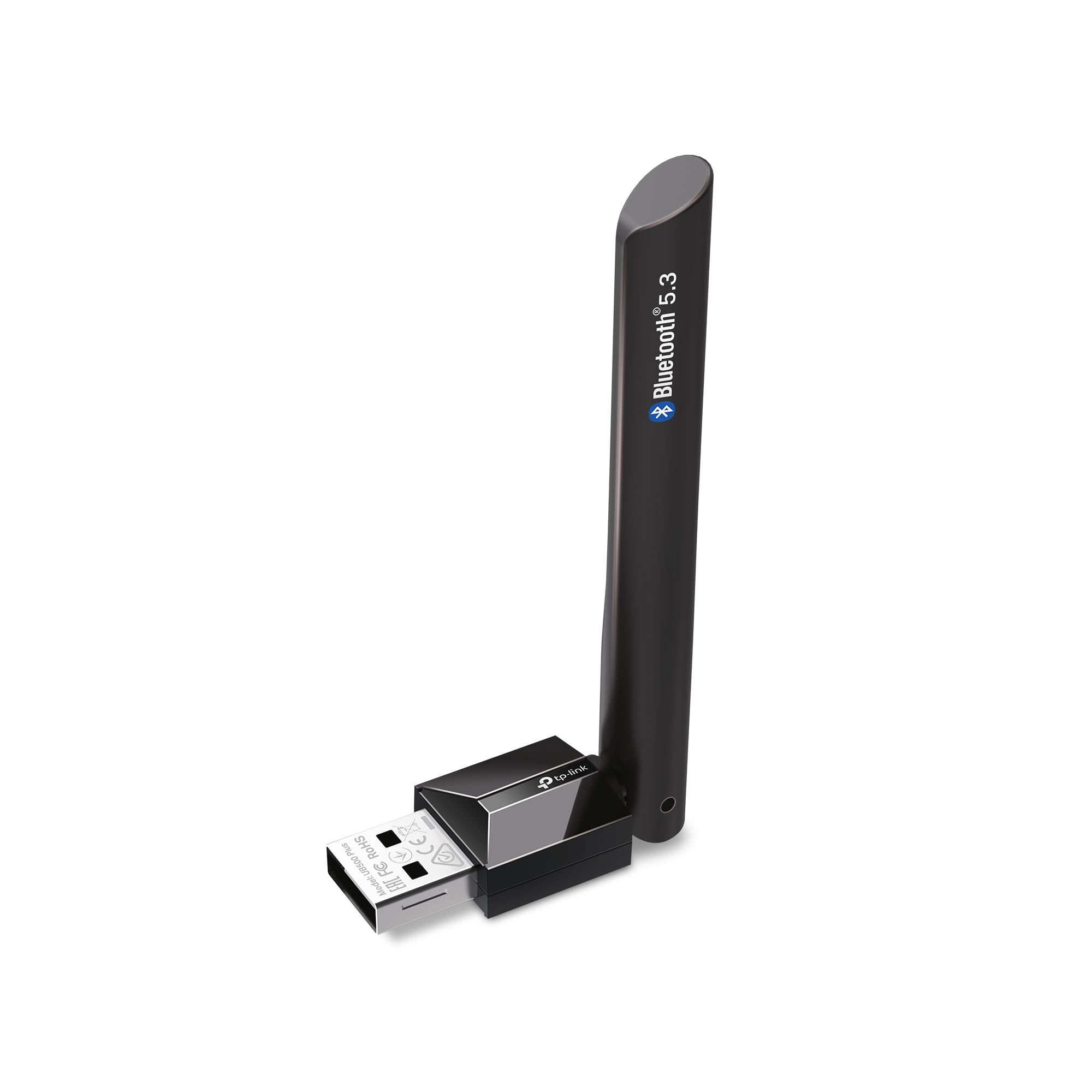
The TP-Link USB Bluetooth Adapter review centers on a compact way to add Bluetooth to a compatible desktop or laptop, with Bluetooth 5.3 support and an adjustable antenna.
The UB500 Plus is best suited to Windows users who want a simple connection for peripherals and are comfortable checking driver needs for an older operating system.
TP-Link UB500 Plus Review Summary
The quick verdict
1,000+ ratings
Read Amazon ReviewsTP-Link UB500 Plus
A practical option for Windows PC owners who want newer Bluetooth support and an adjustable antenna for device connections.
- Bluetooth 5.3 with backward compatibility for Bluetooth 4.2, 4.0, 3.0, 2.1, 2.0, and 1.1.
- USB adapter designed to add Bluetooth capability to a non-Bluetooth desktop or laptop.
- Adjustable multidirectional antenna that can be rotated to change its position.
- Enhanced Data Rate and Bluetooth Low Energy technology.

Pros
- Supports Bluetooth 5.3 while remaining compatible with several earlier Bluetooth versions.
- Adjustable antenna lets users change its orientation to suit the PC's placement.
Consider before buying
- Windows 7 users need to download and install a driver.
- The plug-and-play setup described for newer Windows versions requires an internet connection.
Read the full review summary
The UB500 Plus combines Bluetooth 5.3 with backward compatibility for versions 4.2 through 1.1, making it a flexible adapter for pairing newer and older Bluetooth devices.
Its adjustable, multidirectional antenna gives owners some control over placement, while Bluetooth Low Energy and Enhanced Data Rate address both lower-power connections and faster data transfer relative to standard-rate Bluetooth modes.
It is aimed at Windows 11, 10, and 8.1 users who want plug-and-play setup, as well as Windows 7 users willing to install a driver.
The adapter may be useful for connecting a keyboard, mouse, headset, or other Bluetooth peripheral, but suitability depends on the computer's available USB connection and the needs of the devices being paired.
The buying factors
TP-Link UB500 Plus Scorecard
Editorial scores reflect listed features and buyer fit; they are not laboratory measurements or customer ratings.
Bluetooth version range
Bluetooth 5.3 support and compatibility back to version 1.1 cover a broad range of device generations.
Setup convenience
Plug-and-play support is described for Windows 8.1, 10, and 11 when the computer is connected to the internet; Windows 7 needs a driver.
Antenna flexibility
The multidirectional antenna can be rotated and adjusted to suit different placement conditions.
Power-conscious features
Bluetooth Low Energy is included for operation at an optimal rate of power consumption.
Older Windows support
Windows 7 is supported with a downloadable driver, adding a setup step compared with newer supported versions.
Fit for basic peripherals
The adapter is intended for PCs and devices such as keyboards and mice, though the best fit depends on the devices and setup.
Key Features and Specifications of TP-Link UB500 Plus
- Bluetooth 5.3 with backward compatibility for Bluetooth 4.2, 4.0, 3.0, 2.1, 2.0, and 1.1.
- USB adapter designed to add Bluetooth capability to a non-Bluetooth desktop or laptop.
- Adjustable multidirectional antenna that can be rotated to change its position.
- Enhanced Data Rate and Bluetooth Low Energy technology.
- Plug-and-play setup for Windows 8.1, 10, and 11 when the PC has an internet connection.
- Windows 7 support requires a driver download.
Pros and Cons of TP-Link UB500 Plus
Pros
- Supports Bluetooth 5.3 while remaining compatible with several earlier Bluetooth versions.
- Adjustable antenna lets users change its orientation to suit the PC's placement.
- Includes both Enhanced Data Rate and Bluetooth Low Energy technology.
- Plug-and-play setup is available for Windows 8.1, 10, and 11 with internet access.
Consider before buying
- Windows 7 users need to download and install a driver.
- The plug-and-play setup described for newer Windows versions requires an internet connection.
- If the computer is tucked behind a desk or obstructed, buyers may need to consider whether the antenna can be positioned conveniently.
Who Should Buy TP-Link UB500 Plus?
Good fit
Consider the UB500 Plus if your Windows desktop or laptop lacks Bluetooth and you want an adapter for everyday peripherals such as a keyboard or mouse.
Bluetooth 5.3 support alongside compatibility with earlier versions makes it a broadly useful choice when the devices you plan to connect span different generations.
The adjustable antenna may appeal if the computer's location makes adapter orientation a practical consideration.
Before buying, check that your Windows version is supported and that you can provide internet access during initial setup on Windows 8.1, 10, or 11.
Who should skip it
Skip it if you need a solution that requires no driver installation on Windows 7; this model's Windows 7 support involves downloading a driver.
Look elsewhere if you need a specific operating system, Bluetooth profile, or device feature that is not covered by the available product details. Confirm compatibility for the exact PC and peripherals you plan to use.
TP-Link UB500 Plus: What Its Design Means for PC Buyers
Bluetooth 5.3 and older devices
Support for Bluetooth 5.3 is paired with compatibility down through Bluetooth 1.1.
That broad range can help when a PC needs to connect to devices from different generations, though the adapter's version alone does not establish compatibility with every device function or operating-system setup.
An antenna you can reposition
The multidirectional antenna rotates and adjusts, giving the user a way to alter its orientation.
That is a practical design detail for a desktop placed under a desk or near other equipment, but the right position will depend on the room and computer placement; the stated coverage comparison is a maximum claim rather than a guarantee for every setup.
Setup depends on Windows version
Windows 8.1, 10, and 11 are described as plug-and-play when the computer is online, while Windows 7 requires a driver download.
Buyers should account for that difference before choosing the adapter, especially if the computer is offline or driver installation is inconvenient.
Low energy and data rate features
Bluetooth Low Energy and Enhanced Data Rate serve different connection needs: one is associated with lower-power operation, while the other supports faster data transfer.
Their inclusion broadens the adapter's feature set, but actual behavior also depends on the connected device and use.
Alternatives to TP-Link UB500 Plus
Only one supplied alternative offers a distinct, relevant comparison for this adapter.
Bluetooth Network Adapters alternative
3,000+ ratings
Read Amazon ReviewsSABRENT BT-UB40 USB Bluetooth 4.0 Micro Adapter
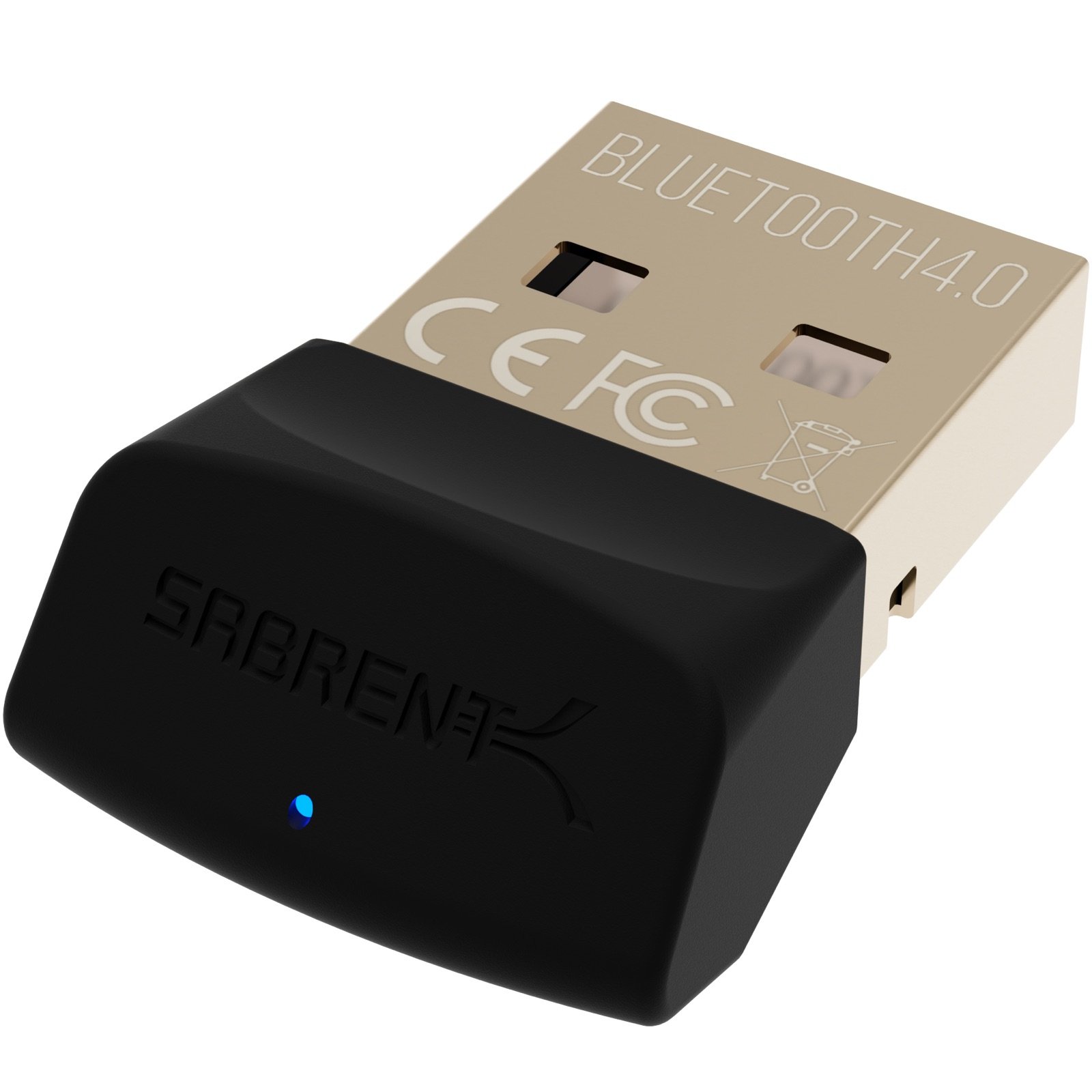
Choose the TP-Link if Bluetooth 5.3 support and antenna adjustment matter to your setup. The SABRENT is a simpler alternative for buyers whose needs are covered by Bluetooth 4.0 and Low Energy technology.
- The SABRENT BT-UB40 is a Bluetooth 4.0 Class 2 micro adapter with Low Energy technology and compatibility with Bluetooth 3.0, 2.1, 2.0, and 1.1.
- The TP-Link UB500 Plus offers Bluetooth 5.3 support, compatibility with earlier versions, and an adjustable multidirectional antenna.
Is TP-Link UB500 Plus Worth It?
The TP-Link UB500 Plus is worth considering if you need to add Bluetooth to a Windows PC and want Bluetooth 5.3 support, backward compatibility, and an adjustable antenna in one adapter.
Its fit is strongest for Windows 8.1, 10, and 11 users who can complete the described online plug-and-play setup.
Check the driver requirement if you use Windows 7, and confirm that the adapter supports the operating system and device functions your setup needs.
For compatible Windows PCs and everyday Bluetooth peripherals, the UB500 Plus offers a useful mix of current and legacy support with added antenna flexibility.
Your review at a glance
1,000+ ratings
Read Amazon ReviewsTP-Link UB500 Plus
A practical option for Windows PC owners who want newer Bluetooth support and an adjustable antenna for device connections.
- Bluetooth 5.3 with backward compatibility for Bluetooth 4.2, 4.0, 3.0, 2.1, 2.0, and 1.1.
- USB adapter designed to add Bluetooth capability to a non-Bluetooth desktop or laptop.
- Adjustable multidirectional antenna that can be rotated to change its position.
- Enhanced Data Rate and Bluetooth Low Energy technology.